Variant Stack Analysis
This page now mirrors the trimmed chooser: the strongest conversion, authority, atmosphere, and specialty templates stay visible, while the rest are effectively archived.
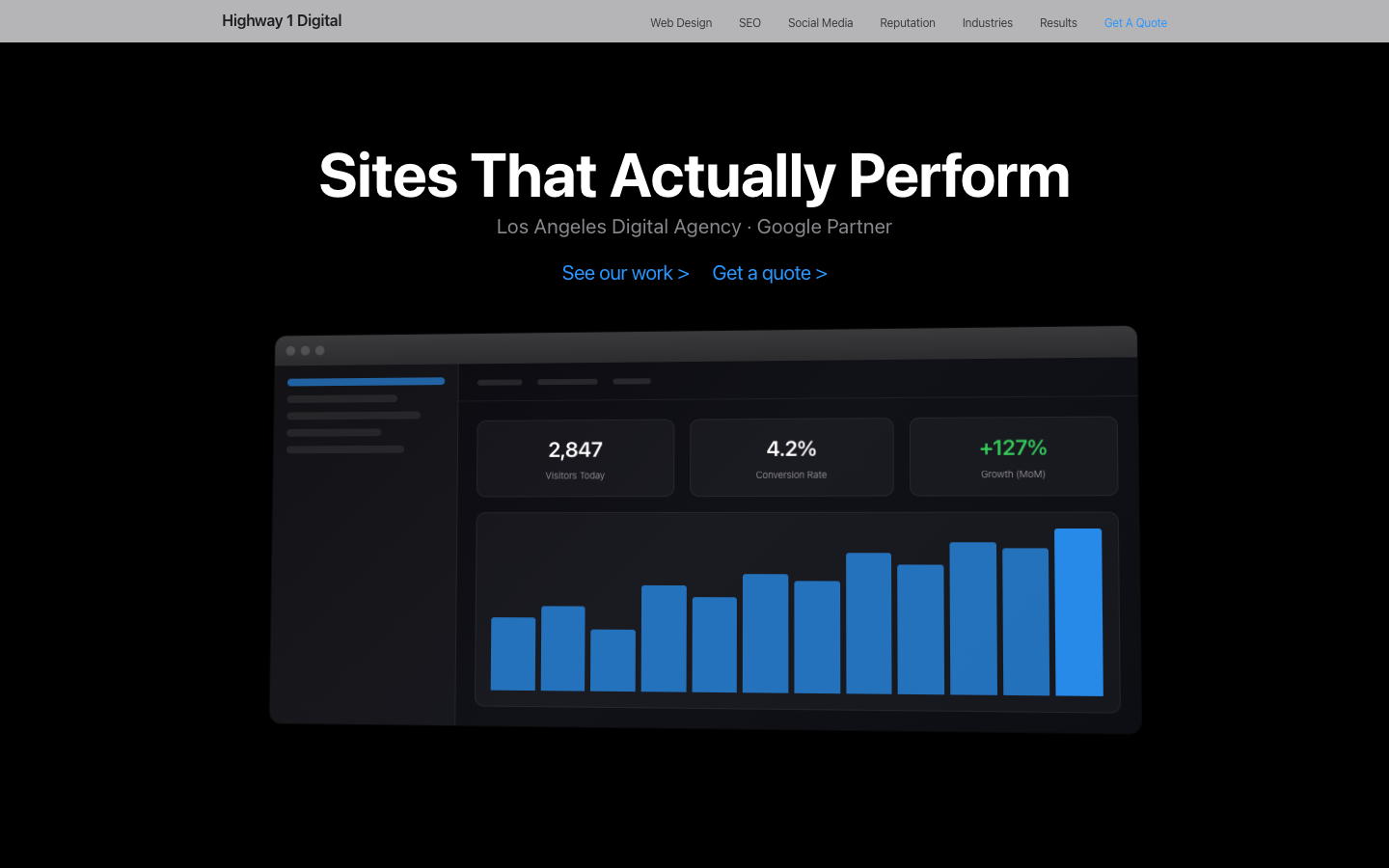
Pure HTML/CSS/JS
Dark LuxuryPros
- Zero build step -- edit and deploy
- No dependencies to update or break
- Fastest possible TTFB
- Any developer can maintain it
- Smallest possible footprint
Cons
- No component reuse -- nav/footer duplicated in every file
- Adding pages means copy/pasting full HTML
- CSS gets unwieldy past ~20 pages
- No type safety or build-time checks
Limitations
No server-side rendering, no dynamic routes, no data fetching. Navigation updates require editing every file manually. Not practical for sites that change frequently or have >30 pages.
Pure HTML/CSS/JS
Dark Luxury — ImpeccablePros
- Refined spacing and visual rhythm
- Improved typography hierarchy
- Better mobile responsive behavior
- Same zero-dependency simplicity as V1
- Polished micro-interactions
Cons
- Same component duplication issues as V1
- No build-time optimization
- Manual page management at scale
Limitations
Same as V1. Impeccable revision focused on design polish, not architecture changes. Still best for small, rarely-updated sites.
Pure HTML/CSS/JS
Motion DesignPros
- Animated gradient hero, glassmorphism everywhere
- Word-by-word reveals, parallax scrolling
- Floating orbs, animated stat counters
- Mouse-tracking glow effect
- prefers-reduced-motion compliant
Cons
- Large single file (1,803 lines)
- Motion effects may distract from content
- No framework-level code splitting
Limitations
Single page only. Heavy animation may reduce battery life on mobile. Film grain overlay adds GPU load.
Astro
Clean BrutalistPros
- Ships zero JS by default -- pure HTML output
- Component-based with any UI framework (React, Svelte, Vue)
- Islands architecture for selective interactivity
- Excellent content collections API
- Fastest build times we tested (531ms for 20 pages)
Cons
- Not ideal for highly interactive SPAs
- Smaller ecosystem than Next.js/Nuxt
- Template syntax has a learning curve
- Limited middleware/API route support vs full-stack frameworks
Limitations
Best for content/marketing sites, not complex web apps. Client-side state management requires bringing in a framework island. The .astro template format won't feel familiar to React/Vue developers at first.
Astro
Clean Brutalist — ImpeccablePros
- Weighted stats bar with lead item emphasis
- L-shaped service grid with wide featured card
- Tiered industry hierarchy with featured + compact layout
- Same zero-JS Astro output as V2
- Refined visual hierarchy and spacing
Cons
- Smaller ecosystem than Next.js/Nuxt
- Template syntax has a learning curve
- Limited middleware/API route support
Limitations
Same as V2. Impeccable revision focused on design polish and layout innovation, not architecture changes. Still best for content/marketing sites.
Next.js 15
Futuristic GlassmorphismPros
- Largest ecosystem and community
- App Router with React Server Components
- Excellent TypeScript support
- Vercel deployment is seamless
- ISR for dynamic content with static speed
Cons
- Heavy -- bundles are larger than Astro/Eleventy
- Static export mode disables many features (ISR, middleware, API routes)
- Frequent breaking changes between major versions
- Complex mental model (server vs. client components)
Limitations
Static export (used here for Cloudflare Pages) strips out most of what makes Next.js powerful. If you're not using SSR/ISR, you're paying the complexity cost without the benefits. Image optimization disabled in export mode.
Next.js 15 + TypeScript
Glassmorphism — ImpeccablePros
- Split hero with consolidated stat block
- One-shot entrance animations replacing perpetual float
- Reduced gradient mesh for better performance
- Weighted stats and L-shaped service grid
- Same React/TypeScript stack as V3
Cons
- Heavy -- bundles are larger than Astro/Eleventy
- Static export mode disables many features
- Complex mental model (server vs. client components)
Limitations
Same as V3. Impeccable revision focused on animation restraint and visual hierarchy. Still pays complexity cost of Next.js without SSR benefits in static export.
SvelteKit
Warm EditorialPros
- Smallest runtime of any JS framework -- compiles away
- Svelte 5 runes are intuitive and powerful
- Built-in animations and transitions
- Scoped CSS by default -- no CSS-in-JS needed
- Adapter-static works perfectly for Cloudflare Pages
Cons
- Smaller ecosystem -- fewer pre-built components
- Svelte 5 runes syntax is new (most tutorials use Svelte 4)
- Fewer job postings than React/Vue
- TypeScript integration improving but not as mature
Limitations
Smaller talent pool makes hiring harder. The Svelte 4 to 5 migration changed syntax significantly, so many community resources are outdated. Fewer third-party UI component libraries compared to React.
Qwik
Bold / LoudPros
- Resumability -- zero hydration cost
- Instant interactivity regardless of page size
- Familiar JSX syntax for React developers
- Fine-grained lazy loading at the component level
- Theoretical performance ceiling is unmatched
Cons
- SSR-first -- static export requires workarounds
- Small community, limited ecosystem
- Dollar-sign syntax (component$, useSignal$) is unusual
- Fewer deployment targets compared to mainstream frameworks
Limitations
Generating static HTML requires an SSR server or SPA fallback (we used SPA mode here). The $ convention for serialization boundaries is a mental model shift. Very few third-party component libraries exist. Not recommended for teams that need to hire easily.
React Router (Remix)
Minimal SwissPros
- Built on web standards (fetch, FormData, Response)
- Progressive enhancement works with JS disabled
- Nested layouts and parallel data loading
- Prerender config makes static export straightforward
- Great error boundary handling
Cons
- Remix-to-React-Router rebrand caused ecosystem confusion
- Fewer integrations than Next.js
- Flat file routing can get messy with many routes
- Community documentation is fragmented across Remix and RR7
Limitations
The Remix/React Router merge created naming confusion -- tutorials and Stack Overflow answers reference both names. Static prerendering works but is less mature than Next.js. The flat route naming convention (dots for nesting) is polarizing.
Nuxt 3
Organic / NaturalPros
- Auto-imports for components, composables, and utils
- nuxt generate produces clean static output
- Vue 3 Composition API is elegant and readable
- Excellent module ecosystem (SEO, images, fonts, auth)
- Nitro server engine is fast and flexible
Cons
- Magic auto-imports can confuse IDE tooling
- Slower build times than Astro/Eleventy
- Vue has less market share than React in US
- Nuxt-specific patterns don't transfer to other frameworks
Limitations
Vue ecosystem is strongest in Asia and Europe -- US hiring pool is smaller than React. Auto-import magic means you don't see explicit imports, which can confuse new team members. Build times are longer than static-first tools like Astro.
Eleventy (11ty)
Art DecoPros
- Zero client-side JS by default -- pure HTML output
- Supports 10+ template languages (Nunjucks, Liquid, etc.)
- Incredibly fast builds
- No framework lock-in -- just HTML
- Data cascade is powerful for content-driven sites
Cons
- No built-in client-side interactivity
- Nunjucks/Liquid templates feel dated vs JSX/Svelte
- Adding interactivity requires manual JS wiring
- Configuration can be opaque for beginners
Limitations
Not a web app framework -- it generates static HTML and gets out of the way. If you need client-side state, routing, or real-time features, you'll need to bring your own solution. Template languages like Nunjucks feel old-school compared to modern component frameworks.
Hono
Neon CyberpunkPros
- Ultra-lightweight -- smallest framework overhead
- Runs everywhere: Cloudflare Workers, Deno, Bun, Node
- Express-like API but built for edge runtimes
- Perfect for APIs alongside static HTML
- Web Standards API (Request/Response)
Cons
- No file-based routing -- manual route registration
- No built-in SSG or page generation
- Static HTML files require manual nav/footer updates
- Smallest community of all frameworks tested
Limitations
Hono is a server framework, not a frontend framework. We paired it with static HTML files, which means the same duplication problems as V1. Great for APIs and edge functions, but for a pure marketing site, you'd get more mileage from Astro or Eleventy.
SolidStart
Soft PremiumPros
- Fine-grained reactivity -- no virtual DOM diffing
- Familiar JSX syntax for React developers
- Signals-based state management is clean
- Smallest runtime of any JSX framework
- True reactive primitives (no stale closures)
Cons
- SolidStart (meta-framework) is still maturing
- SPA routing for static deploy required workarounds
- Smallest ecosystem of any JSX framework
- Component patterns differ subtly from React (no re-renders)
Limitations
SolidStart's SSG story is still evolving. We used SPA mode with client-side routing, which means no server-rendered HTML for SEO crawlers on initial load. The "looks like React but isn't" aspect catches developers off-guard -- destructuring props breaks reactivity.
HTML/CSS/JS (Blade)
Blade DashboardPros
- Zero build step -- single HTML file
- Cinematic, immersive user experience
- Light mode with hero imagery is visually polished
- Momentum-based horizontal navigation feels native
- Constellation layout is a unique spatial model
Cons
- Horizontal nav is non-standard -- users may be confused
- SEO limited -- single page, no crawlable route structure
- Mobile experience requires different interaction model
- Content capacity limited by blade count
Limitations
Horizontal blade navigation is a bold UX choice -- it prioritizes experience over convention. This works for portfolio/agency sites where the goal is to impress, but not for content-heavy sites where users need to find specific information quickly. Desktop-first by design.
HTML/CSS/JS (Bento)
Bento BoardPros
- Zero build step -- single HTML file
- Asymmetric bento grid is visually distinctive
- Click-to-expand tiles reveal deep content without page navigation
- 4-color accent system creates visual hierarchy
- Stat count-up animations add polish
Cons
- Complex CSS Grid template -- harder to modify layout
- Single page means limited SEO crawl surface
- Tile expand/collapse adds interaction complexity
- Content density may overwhelm on small screens
Limitations
The bento grid is a modern, visually striking layout but trades conventional navigation for a mosaic of expandable tiles. Great for making a strong first impression, but not suited for sites with deep content hierarchies or extensive page counts. Best as a single-page showcase.
Pure HTML/CSS/JS
Bento MotionPros
- 3D mouse-tracking tilt on tiles
- Animated gradient borders via @property
- Glassmorphism hero, floating decorative orbs
- Hover glow per-tile accent color
- Gradient text headlines, staggered choreography
Cons
- Mouse-tracking 3D effects don't work on touch devices
- Complex CSS animation stacking
Limitations
Single page only. @property for animated gradients requires modern browsers.
HTML/CSS/JS (Cinematic)
Cinematic ScrollPros
- Zero build step -- single HTML file
- Truly cinematic scroll experience with scene transitions
- Canvas light streaks create atmospheric highway visual
- Background gradient cross-dissolves are buttery smooth
- Scroll-driven pacing lets user control the "film"
Cons
- Complex scroll math -- hard to modify scene timings
- Single page with no crawlable routes limits SEO
- Content is sparse by design -- 80% visual, 20% text
- Very long scroll depth (~1850vh) may lose some users
Limitations
The cinematic scroll model is the most experiential layout in the collection but also the most opinionated. Every element is scroll-position-dependent, making content updates non-trivial. Best for agencies and creatives who want their homepage to feel like a brand film, not an information site.
Pure HTML/CSS/JS
Cinematic MotionPros
- Character-level text reveals
- Multi-layer parallax (3 depth layers)
- Floating bokeh particles (CSS-only)
- Glassmorphism nav/cards, animated gradient text
- Scene transition wipes, SVG line-draw effects
Cons
- CLS 0.194 needs fixing
- Heavy scroll-driven animations on mobile
- Complex scene architecture
Limitations
Single page only. Parallax layers require careful scroll performance tuning.
HTML/CSS/JS (Cinematic II)
Cinematic Scroll IIPros
- CSS-only bokeh orbs replace canvas for simpler maintenance
- Horizontal progress bar echoes video playback UI
- Scene counter (01/07) gives spatial awareness
- Warm amber palette feels premium and inviting
- Moving spotlight gradient adds depth without canvas overhead
Cons
- Same scroll-math complexity as V13
- Single page limits SEO crawlability
- CSS bokeh orbs can blur on low-end GPUs
- Long scroll depth (~2140vh) requires user commitment
Limitations
A companion piece to V13 that proves the cinematic scroll model is a flexible canvas, not a one-trick pony. The amber warmth and CSS-only background effects make it more approachable to maintain than V13's canvas-based streaks, while the horizontal progress bar and scene counter add wayfinding absent from the first version.
HTML/CSS/JS (Magazine)
Magazine SpreadPros
- Zero build step -- single HTML file
- 7 unique compositional spreads, no two alike
- Full-bleed imagery creates premium editorial feel
- Typographic wall and pull quotes add character
- Parallax layers create depth without canvas
Cons
- Desktop performance needs work (70 Lighthouse)
- Complex CSS Grid templates -- hard to modify layouts
- Single page limits SEO surface
- Content-heavy spreads require careful image optimization
Limitations
The magazine spread model is content-dense and visually rich but trades performance for aesthetics. Each spread has a unique grid template that must be maintained individually. Best for brands that want their homepage to feel like opening a luxury magazine.
Pure HTML/CSS/JS
Magazine MotionPros
- Image clip-path mask reveals on scroll
- Animated drop caps with gradient
- SVG line-draw dividers, glassmorphism pull quotes
- Scroll progress bar, headline word animation
- Shimmer CTA effects
Cons
- Clip-path animations may stutter on older devices
- Complex SVG stroke animation timing
Limitations
Single page only. SVG line-draw dividers require specific viewport widths to look right.
HTML/CSS/JS (Reveal)
Reveal WallPros
- Zero build step -- single HTML file
- Page builds itself as user scrolls -- unique experience
- Blueprint grid and border-draw cards feel technical
- Word assembly animation is memorable
- Glass panels and spotlight reveal add depth
Cons
- Scroll-dependent animations may confuse some users
- Content hidden until scroll position reached
- Accessibility score needs improvement (87)
- Complex scroll event handling
Limitations
The progressive reveal concept is bold -- the page literally constructs itself as you scroll. This creates a memorable first impression but means content is hidden by default, which can frustrate users looking for specific information. Scroll-dependent animations also mean the experience degrades on mobile.
HTML/CSS/JS (Split)
Split StreamPros
- Zero build step -- single HTML file
- Dual-column parallax is visually striking
- Dark + light streams create natural contrast
- Documentary pacing keeps users engaged
- Differential scroll speeds add depth
Cons
- Lowest accessibility score in collection (78)
- Dual-column requires wide viewport -- poor mobile
- Differential scroll math is complex to maintain
- Content split between columns can be confusing
Limitations
The split stream model is one of the most visually distinctive layouts but has the lowest accessibility score (78) in the collection. The dual-column approach is inherently desktop-first and requires significant rethinking for mobile. Best for sites where the visual narrative is more important than information density.
Pure HTML/CSS/JS
Split MotionPros
- Animated gradient divider between columns
- 3D perspective tilt on cards
- Morphing SVG connection lines on scroll
- Glassmorphism with mouse-tracking glow
- Animated counters, breathing accent orbs
Cons
- Dual-column layout complex on mobile
- Morphing SVG calculations on every scroll frame
- Many simultaneous animations
Limitations
Single page only. SVG morphing disabled on mobile for performance.
HTML/CSS/JS (Apple)
Product ShowcasePros
- Perfect 100 desktop performance -- fastest variant
- System fonts = zero font loading overhead
- Pinned scroll-driven stats section is impressive
- Billboard layout is proven and scannable
- Monochromatic palette is timeless
Cons
- System font stack limits typographic expression
- Monochromatic palette can feel austere
- Billboard sections require strong copy to work
- Pinned stats section needs careful scroll tuning
Limitations
The Apple-style billboard approach delivers maximum performance (100 desktop Lighthouse) by using system fonts and minimal CSS. The trade-off is typographic personality -- system fonts are clean but generic. The pinned scroll-driven stats section is the standout feature but requires precise scroll math. Best for brands that prioritize polish over personality.
HTML/CSS/JS (Cowboy)
Product StorytellerPros
- Product comparison cards are unique and scannable
- Horizontal feature grid with drag-to-scroll is engaging
- Community photo mosaic builds social proof
- Auto-advancing tabbed reassurance is conversion-focused
- Strong performance (92 desktop) despite complexity
Cons
- Most complex variant (~70KB HTML) -- hard to maintain
- 12+ sections may cause scroll fatigue
- Multiple interaction patterns (tabs, drag, scroll) to learn
- Warm neutral palette may feel too muted for some brands
Limitations
The product storyteller model packs the most content and interaction patterns into a single page. At ~70KB of HTML it's the largest variant, with 12+ sections, drag-to-scroll grids, auto-advancing tabs, and a photo mosaic. Great for DTC brands that need to tell a complete product story on one page, but the maintenance burden is significant.
Pure HTML/CSS/JS
Cowboy MotionPros
- Animated sunset gradient overlay on hero
- Film grain texture (SVG-based)
- Floating ambient orbs, parallax hero depth
- Glassmorphism chips/nav, pulsing CTAs
- Scroll-triggered section reveals, animated stat counters
Cons
- 15.4s mobile LCP from R2-hosted video hero
- Film grain overlay adds GPU load
- Large file (3,411 lines)
Limitations
Video hero needs poster image optimization. Single homepage only.
Pure HTML/CSS/JS
ScrollytellingPros
- Chapter-based narrative structure
- Progress bar shows scroll position
- Alternating navy/off-white sections
- Instrument Serif gives editorial authority
- Hide/show nav on scroll direction
Cons
- Long homepage may increase bounce on mobile
- Decorative chapter numbers flag contrast audit (false positive)
Limitations
3-page variant. No GSAP — uses pure CSS + IntersectionObserver for reveals.
Pure HTML/CSS/JS
BrutalismPros
- Distinct visual attitude
- Clear hierarchy and strong contrast
- Feels current without being overbuilt
Cons
- Too assertive for conservative clients
- Smaller use-case than cleaner templates
Limitations
Best as a selective option, not the default recommendation for every category.
Pure HTML/CSS/JS
HandcraftedPros
- Warm and differentiated
- Feels human at first glance
- Balances personality with usability
Cons
- Less universal than V26 or V28
- Can overlap softer premium options
Limitations
Not the best fit for highly technical or ultra-corporate positioning.
Pure HTML/CSS/JS
Clean ProfessionalPros
- Most universally sellable
- Clear CTA and proof structure
- Low-risk baseline for customization
Cons
- Easiest to feel generic if untouched
- Less memorable than V31 or V32
Limitations
Needs stronger art direction if the brand wants a premium or category-defining feel.
Pure HTML/CSS/JS
Trust BuilderPros
- Very practical conversion framing
- Strong social-proof structure
- Easy to adapt across SMB niches
Cons
- Less visually surprising
- Needs premium touches to avoid “template feel”
Limitations
Prioritizes conversion mechanics over brand spectacle.
Pure HTML/CSS/JS
Bio-Tech AtmospherePros
- High-end atmosphere
- Feels differentiated in crowded categories
- Strong bridge between mood and proof
Cons
- More niche than the generalist templates
- Needs good media to fully work
Limitations
Best when the brand can support a more cinematic visual language.
Pure HTML/CSS/JS
Medical Authority EditorialPros
- Most credible flagship tone
- Editorial calm with clear structure
- Strong fit for medical, legal, executive brands
Cons
- More formal than lighter service brands need
- Can feel too serious for playful categories
Limitations
Works best when the brand wants calm authority, not friendliness-first energy.
Pure HTML/CSS/JS
Clear Growth OperatorPros
- Very understandable above the fold
- Proof-first structure
- Good default for practical growth offers
Cons
- Needs careful styling to stay distinctive
- Less atmospheric than V31/V32
Limitations
Strongest when paired with real proof and sharp copy, not generic marketing filler.
Pure HTML/CSS/JS
Luminous EditorialPros
- Bright premium tone
- Editorial pacing with better conversion structure
- Support modules feel integrated instead of generic
Cons
- Needs polished imagery to fully land
- Less suitable for technical B2B
Limitations
Best when the brand wants elegance and softness, not aggressive conversion energy.
Pure HTML/CSS/JS
Neighborhood AtelierPros
- Feels personal and memorable
- Strong local-service fit
- Calmer interior pages and proof modules
Cons
- Not ideal for very corporate positioning
- Narrower use case than V26
Limitations
Works best when the brand already has real personality and photography to support a tactile direction.
Pure HTML/CSS/JS
Signal GridPros
- Sharper technical framing
- Clear data-story narrative
- Useful bridge between trust and innovation
Cons
- Less warm than lifestyle or local-service templates
- Can feel niche without technical proof
Limitations
Strongest when the offer includes measurable systems, automation, or operational outcomes.
Pure HTML/CSS/JS
Bold ChallengerPros
- Most assertive voice in the curated set
- Good campaign and launch energy
- Still easier to maintain than motion-heavy concepts
Cons
- Too strong for conservative categories
- Needs disciplined copy to avoid noise
Limitations
Should be used selectively, when the brand benefits from challenge and momentum more than calm authority.
Our Recommendations
The safest broad-market option when you need something clear, polished, and easy to sell to almost any service business.
The strongest lead-gen option when social proof, friction reduction, and business clarity matter more than aesthetic experimentation.
The flagship premium authority template for high-trust categories that need editorial calm, credibility, and stronger perceived quality.
The best choice when the brand needs to feel ahead of the category without losing clarity or trust.